Online safety habits matter more than the gear you buy. A new laptop, a faster phone or a smarter TV doesn't make your digital life any safer, and every app, account, browser extension and connected gadget you add is one more door someone can try. The good news is that locking things down doesn't take a computer science degree. Here are seven repeatable habits that cover most of the risks men face online and none of them make your tech less fun to use!
Before you tighten anything up, check whether someone is already inside. A lot of account takeovers start with something simple: a reused password, a skipped update or one rushed click. Fix those three and you've covered a big share of the risk. Reusing one clever password across several accounts is still a common shortcut, and it's a bad one. When one website gets breached, criminals take that email and password combination and try it everywhere else, including your email, cloud storage, social media and bank. A password manager fixes this. It creates a long, unique password for every login and remembers all of them, so you only need to remember one. Guidance from NIST recommends passwords of at least 15 characters and says length matters more than special characters. It also points to passkeys, which log you in with your phone's PIN, fingerprint or face and resist phishing far better than a typed password. When a site offers a passkey, take it. The Mint 400 is the Great American Off-Road Race and is held annually in the desert outside of Las Vegas, Nevada. The Alila Marea beach resort in San Diego is one of the few truly beach front hotels and resorts in San Diego, California. Tailor your getaway on Resilient Lady with a luxurious cruise experience. Enjoy top-notch amenities and explore beautiful destinations in the Caribbean. Promoted by FlowAds The master password for your password manager is the one to make long and memorable. A passphrase of three or four random words works well. Then turn on multifactor authentication for the manager itself. Passwords saved in a notes app, a spreadsheet or a screenshot on your phone aren't properly protected. Updates are easy to put off when you're in the middle of work, a game or a movie. But many updates patch security holes that are already known, and every day you wait is a day those holes stay open. Turn on automatic updates for your operating system, browser, apps, smart devices and router firmware. Then restart when asked. Many patches don't finish installing until the device reboots. Why we picked it: a grill you can actually carry to the campsite, the tailgate or the cabin without borrowing a truck. Stainless, no propane tank to wrestle, and hot enough to cook for four guys rather than reheat for one. Promoted by FlowAds Antivirus is the second layer. If you're on a Windows PC, Bitdefender offers free antivirus for Windows with no hidden costs or time limits. It provides real-time protection, is light enough to run while you game, and only requires a free Bitdefender Central account to install. Once a week, take five minutes for a quick check: Phishing works because it rushes you. A fake delivery notice, password alert, refund offer or "your account will be suspended" warning is built to get a click before you think about it. So don't click. Look at the sender's actual address, the spelling, the domain name and what they're asking you to do. If it looks like it's from your bank or Amazon, close the message and open the official app or type the website address yourself. If a message from someone you know seems off, text or call them on a number you already have before you do anything. It takes a few seconds and it's a lot cheaper than cleaning up a stolen account. A password shouldn't be the only thing standing between a stranger and your accounts. Multifactor authentication adds a second check, like an authenticator app code, a prompt on your phone, a fingerprint or a physical security key. Start with email. Anyone who gets into your inbox can reset the passwords on most of your other accounts. After that, cover banking, cloud storage, social media, shopping accounts, and your password manager. CISA's online safety guidance lists multifactor authentication as one of the four core ways to stay safe online. Not all of it is equal, though. Authenticator apps, passkeys, and security keys are stronger than codes sent by text message, which can be intercepted if someone hijacks your phone number. Apps love to ask for your location, camera, microphone, contacts, photos and nearby devices. Some of those requests make sense and some don't. A flashlight app has no business reading your contacts, and a puzzle game doesn't need to track your location around the clock. If a request doesn't match what the app does, say no. It will usually still work fine. Every few months, open the privacy or permissions settings on your phone and go through the list. Pull access you don't need, turn off background activity where you can, and delete apps you've stopped using. An abandoned app can still hold your data and stay connected to your accounts. A dead hard drive, a stolen laptop, a bad delete or a ransomware infection can wipe out years of photos and files in minutes. A backup is what turns that from a disaster into an annoying afternoon. Use the 3-2-1 rule for anything you can't replace, like family photos, work projects and financial records. Keep three copies of your data, on two different types of storage, with one copy kept somewhere other than your main device. Cloud syncing on its own isn't a full backup. If a file gets deleted or encrypted by ransomware, that change can sync to every device you own. Pair cloud storage with an external drive, and periodically restore a few files to make sure the backup works. Your home network probably runs laptops, phones, a game console, cameras, speakers, a TV and a few smart appliances. Any one of them with weak security can be the way in for someone looking to snoop on the rest. Change the default admin username and password on your router and smart devices. Use WPA3 encryption if your router supports it, or WPA2 if it doesn't, and keep the firmware updated. If your router offers a guest network, put visitors and less-trusted smart gadgets on it so they stay separate from your computers. Away from home, skip logging into your bank or email on open airport or hotel Wi-Fi. Your phone's hotspot is the safer choice, and a reputable VPN can encrypt your traffic when public Wi-Fi is the only option. The easiest time to get these habits right is the day you set up something new. When you unbox a new phone, laptop or smart gadget, spend the first 15 minutes on security before anything else: turn on automatic updates, set a passkey or add the login to your password manager, enable multifactor authentication and check the default permissions. On a Windows PC, antivirus like Bitdefender covers a big part of that protection. Macs, iPhones and Android phones have built-in malware protection that relies on staying updated, so for those devices the automatic updates setting matters most. Promoted by FlowAdsWhat Do You Call Your "Guys Trips"?
Use a Password Manager and Passkeys

All The Dirt on Mint 400: The Great American Off-Road Race

Alila Marea Resort Features One Of The Best Beach Views In North County San Diego

Dominican Daze
Keep Your Devices Updated and Run Antivirus
Man Gear Pick of the Month

Kenyon City Grill Portable Stainless Steel Electric Grill
 August's Pick LiberNovo Maxis Electric Big and Tall Ergonomic Office Chair, Graphite 52cm $1,466.00
  July's Pick Powerful Propane Torch Gun, Adjustable Flame Thrower Gun, Kitchen Torch with Detachable Design, Flamethrower Blow Torch for BBQ, Searing Steak, Welding, Camping Charcoal Lighter(Tank Not Included) $41.99
  June's Pick OYASUMI Funny BBQ Man Hot Dog Holders, 4 PCS Reusable Stainless Steel Sausage Stands, Portable Hot Dog Roasters, Barbecue Grill Accessories for Camping & Party Gifts $14.98
Slow Down Before Clicking Unexpected Messages
Turn On Multifactor Authentication
Review App Permissions Before You Tap Allow
Back Up Your Files Before Something Goes Wrong
Lock Down Your Home Network and Connected Devices
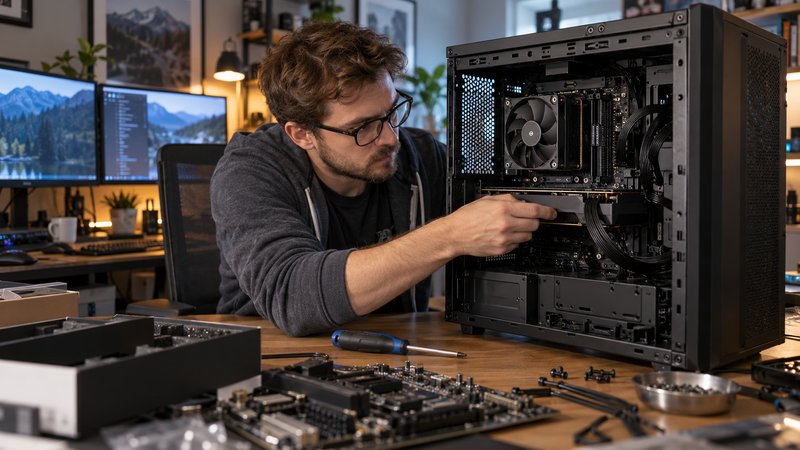
Build Security Into Every Upgrade Regardless Of Whether That Is Software Or Hardware!
